The uno reverse car transition ai video editing prompt has three jobs: lock your identity to your photo, hand the motion and timing to a reference performance, and tie the car reveal to the exact moment the cards drop. Our generator has that prompt built in, so you upload one photo and never see it. The demand for it is real: the 100 second tutorial that kicked off the prompt-sharing wave passed roughly 20,000 views in its first three days, and when we searched YouTube four days in we counted more than 20 near-identical tutorials copying its title.
Key Takeaways:
- The prompt is short on description and long on roles: the photo owns identity and clothing, the reference performance owns action and timing, and the car has one line of its own.
- The reference clip we analyzed runs 12 seconds, and the car appears about 5 seconds in, right after the hand sweeps across the lens.
- Copied prompts fail in predictable ways: the wrong outfit, a car that is visible too early, and cards with the wrong numbers.
- The clip should be silent. The trending "Unforgettable" sound is added later inside TikTok or Instagram.
- You do not need to write or paste anything. The generator on our homepage runs the whole structure from one photo.
What the prompt has to do in one generation
Most AI video prompts describe a scene. This one describes a substitution. It asks a model to replay an existing performance with a different person in it and a car that was not there a second earlier.
Scene description shrinks to a few lines, because the reference performance already carries the framing, the turn and the timing. What grows is the rule set about who supplies what. When we read the prompt that creator Jayanta Bhai published alongside his tutorial, about 2.4 KB of plain text, the structure was clear: a top-priority section for identity and clothing, a numbered scene sequence with five steps, a realism and continuity block, an audio line, and a final instruction restating which input controls what.
We kept that architecture, rewrote every sentence, and wired it into the generator so that it is filled in from your choices instead of typed by hand.
What this proved: the trend is a role-assignment problem, not a creative-writing problem. What it left unsolved: everything a person has to gather before the prompt is even useful.
What a do-it-yourself attempt costs before any text
The prompt is the visible part. The tutorials make it look like the only part, and it is not. To use a shared prompt you also need three things that the prompt assumes you already have.
| What the shared prompt assumes | What that means in practice |
|---|---|
| A motion reference clip | Twelve seconds of someone performing the full card flash, which you have to find or film |
| A paid AI video account | Credits bought up front, spent on every attempt whether it works or not |
| Upload order and settings | Files in the right order, duration, aspect ratio and audio all set correctly |
| Retries | Each failed attempt costs credits and several minutes |
Here is a hypothetical walk-through of how an evening goes. Say you copy a prompt from a video description, upload a selfie and the shared reference clip, and press generate. The first result puts you in the reference actor's black hoodie. The second fixes the hoodie and shows the car parked in the background from the first frame, so there is no reveal. The third has the timing right and cards that read 7 and 1. That is three paid attempts and no clip to post.
None of those failures are bad luck. Each one maps to a rule the prompt either has or does not have, which is what the next sections cover.
What this proved: the prompt is one of four moving parts. What it left unsolved: what the rules actually are.
The beat timeline behind the prompt
When we broke the reference clip down frame by frame, sampling two frames per second across all 12 seconds, the choreography fell into six beats. The built-in prompt is written against these, one timed line per beat.
| Time | What happens on screen |
|---|---|
| 0 to 3 s | Subject stands in an open parking area, looks off to one side, then turns to face the camera |
| 3 to 4.5 s | Hand comes up holding two cards, numbers facing the lens, covering most of the frame |
| 4.5 to 5 s | The arm sweeps across the lens. This is the hidden cut |
| 5 to 8 s | Car is now parked behind the subject. Subject glances back at it and gestures with a thumb |
| 8 to 11 s | Subject talks to the camera, one hand near the mouth, car in the background |
| 11 to 12 s | Cards come up again, then both hands go to the head |
Two details matter. First, the car is never seen arriving. It is absent before the sweep and present after it. Second, the cards appear twice. A prompt that only mentions them once tends to lose them in the final second.
What this proved: the "transition" is a single occlusion roughly half a second long. What it left unsolved: making the model keep your face through it.
Locking identity and clothing to the photo
This is the block that decides whether the result looks like you. The failure it prevents is specific: the reference actor wears a black hoodie, and without a firm rule a model will happily dress you in it.
The rule has to run in both directions. It states what the photo controls (face, hair, skin tone, build, every visible clothing item) and what the reference performance does not control (wardrobe, hairstyle, accessories). In our template that rule sits at the very top and is repeated at the very end, because a model weighing one photo against hundreds of frames of someone else needs a tiebreaker.
The other half is the photo itself, and that is the only part you control on our site. A front-facing photo with your face, hair, shoulders and outfit visible gives the template something to lock onto. A mirror selfie with the phone covering half your face does not, however good the wording is.
What this proved: identity lock is half photo quality, half explicit rule. What it left unsolved: the cards, which no photo can supply.
Card accuracy and the hidden cut
Small rigid objects with printed numbers are hard for video models. The cards need their own instruction, written literally: two cards, a 2 and a 4, flat faces toward the camera, numbers readable, five fingers visible. Our generator also supplies a picture of the two cards as a visual reference, which is something a pasted prompt cannot do for you.
A note on wording: UNO is a Mattel trademark, and this site is not affiliated with Mattel. Our card art is an original generic design.
Then comes the reveal. A prompt that only says "a car appears" leaves the model free to show it early. The working version gives the model a before state (the lot is empty), an after state (the car is parked there) and a trigger (the cards moving away from the lens). All three are fixed in the template.
What this proved: the reveal works when it is pinned to a motion, not to a timestamp alone. What it left unsolved: sound.
Why the clip comes out silent
Left alone, video models tend to invent audio. For this trend you want none, for two reasons. Invented ambient sound or stray speech fights with the track you will add later, and the trending "Unforgettable" sound is licensed music that belongs in the platform's own sound library, where your clip gets grouped with everyone else using it.
On our generator the download is always a silent MP4 for exactly this reason. You add the sound in the app you post to.
What this proved: silence is a feature here. What it left unsolved: nothing, as long as you remember to add the sound in-app before posting.
What the generator handles so you do not have to
Every rule above is already in place when you open the homepage. This is the full list of what you would otherwise assemble yourself.
| Job | By hand | On UNO Reverse Car AI |
|---|---|---|
| Motion reference | Find or film a 12 second clip | Built in |
| Prompt | Copy, adapt, debug | Built in, filled from your choices |
| Card reference | Not available | Original card art supplied |
| Reveal timing rule | Easy to leave out | Fixed in the template |
| Duration, ratio, audio | Set per attempt | Set for you from two taps |
| Your part | All of the above, plus the photo | One photo |
Start with the generator. If you want the reasoning for each block without the full text, the prompt page lays it out.
What this proved: the slow parts of the trend are the parts that can be prepared once. What it left unsolved: the choices that are yours.
What you still choose
Three decisions stay with you, and they are the ones that make the clip yours.
- The car. Six car templates, each paired with a scene that suits it: sunset lot, floodlit concrete, rooftop at night. Or add a photo of your own car and the reveal uses that.
- The format. 9:16 for Reels, TikTok and Shorts, or 16:9 to match the original clip.
- The photo. Outfit, hair and expression all come from it, so pick it on purpose.
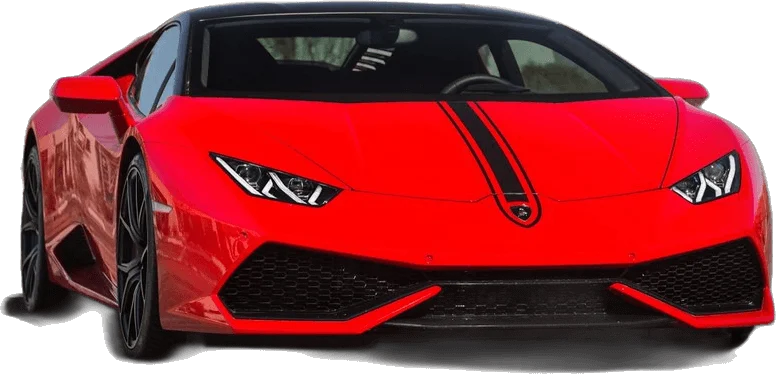
One observation from the copycat wave: nearly every tutorial we found reuses the same reference clip and the same red sports car, so choosing a different car and scene is the cheapest way to stand out. The step-by-step walkthrough is in our how-to guide.
What this proved: three choices are enough to make a version that is yours. What it left unsolved: AI video still varies between runs, and hands are the usual weak spot.
Frequently Asked Questions
What is the UNO reverse car transition AI prompt?
It is a structured instruction that locks your identity to one photo, copies movement from a reference performance, describes a car, and reveals that car at the moment two cards drop away from the lens. On this site it is built into the generator.
Do I have to write or paste the prompt myself?
No. Upload one photo, pick a car and a format, and the generator fills in and sends the prompt for you. There is nothing to copy, edit or debug.
Why do copied prompts give the wrong outfit or an early car?
They usually lack two rules: one that forbids copying clothing from the reference performer, and one that keeps the car out of frame until the cards cover the lens. Both rules are fixed in our template.
Can I change the car?
Yes. Choose one of six car templates, each with its own scene, or add a photo of your own car and the reveal uses that vehicle.
Why is the video silent?
So no invented music or speech ends up in the file. The trending "Unforgettable" sound is added from the sound library inside TikTok or Instagram when you post.
Sources
- Trending Ai Video Editing prompt | Unforgettable song | UNO Reverse Car Transition Ai Video Editing (Jayanta Bhai, YouTube)
- How to Make an Unforgettable AI Video (LightX)
- Uno Reverse Card Transition Trend templates (Pippit)