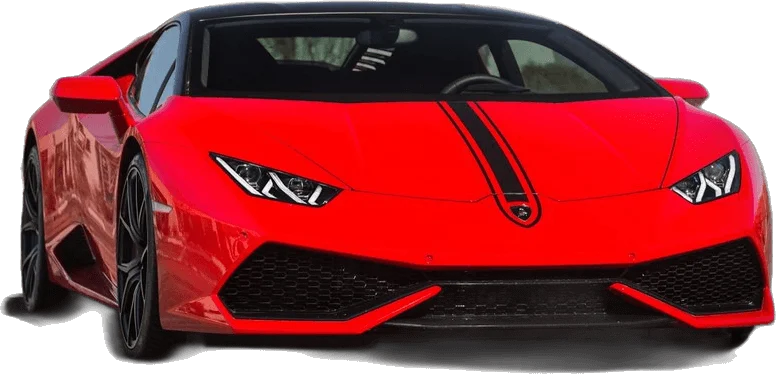
The UNO reverse car transition AI prompt has five jobs: lock your identity to the photo, copy the movement from a reference performance, describe the car, time the reveal to the cards dropping, and switch audio off. On UNO Reverse Car AI that prompt is already written against the 12-second shot list and filled in from your choices. Upload one photo and it runs for you.
The five jobs of the prompt
| Job | What it prevents | On this site |
|---|---|---|
| Identity lock | A face that drifts, or an outfit borrowed from someone else | Built in. Your photo is the only source for face and clothing |
| Movement | Stiff, invented choreography that does not match the trend | Built in. A motion template drives the timing |
| The car | A vague or mismatched vehicle | Your pick: six templates, or your own car photo |
| Reveal timing | A car that is parked there from the first frame | Built in. The car appears as the cards leave the lens |
| Silent audio | Invented music or speech in the file | Built in. You add the trending sound in-app |
Why copied prompts fail
Tutorials hand out a block of text and make it look like the whole method. It is one part of four. To use it you also need a 12-second reference clip of someone performing the card flash, a paid account on an AI video service, and the right upload order and settings. Every attempt spends credits whether it works or not.
- The borrowed outfit. The performer in the widely shared reference clip wears a black hoodie. Without a firm rule, you end up wearing it too.
- The early car. If the text never says the lot is empty first, the car is simply there from the start and there is no reveal.
- The wrong cards. Small printed numbers are hard for video models. Cards mentioned in passing come back scrambled.
- The wide clip. The reference is landscape, so the result is too, and a vertical feed crops the car.
Each of those is handled once in our template instead of by trial and error on your credits. More detail is in the eight common failures and their fixes.
The timeline it is written against
The built-in prompt has one timed line per beat of the clip.
| Time | Beat | On screen |
|---|---|---|
| 0.0–3.0s | Walk-in | You stand close to the lens in an empty lot, looking off to the side, then turn to face the camera. |
| 3.0–4.5s | Cards up | One hand rises and fans two cards, a 2 and a 4, right in front of the lens until they cover most of the frame. |
| 4.5–5.0s | Hidden cut | The arm sweeps across the lens. For a few frames nothing but sleeve and card is visible. |
| 5.0–7.5s | Reveal | The cards drop and a car is parked behind you. You glance back and jab a thumb at it. |
| 7.5–10.5s | Flex | Back to camera, hand beside the mouth as if sharing a secret, a small nod. |
| 10.5–12.0s | Cards out | The cards flick up again and the clip ends on a hands-on-head reaction. |
What you choose instead of writing
Three choices replace the whole prompt. The car is the main one, and each template comes with a scene that suits it.
| Template | The car | The scene |
|---|---|---|
| Red Supercar | Track-wing coupe in deep red | an open outdoor parking area at sunset with warm orange light |
| Muscle Car | Grey fastback with orange stripes | a wide, empty concrete parking lot at night under tall floodlights |
| JDM Tuner | Widebody coupe in midnight purple | a rooftop car park at night with wet asphalt reflecting neon city signs |
| Luxury SUV | Boxy off-roader in satin black | a quiet valet forecourt in front of a modern glass building at dusk |
| Hypercar | Carbon and yellow mid-engine wedge | an empty airfield apron at sunrise with long shadows and a pale sky |
| Superbike | Full-fairing litre bike in race green | a mountain road lay-by at golden hour with a guard rail and hills behind |
Then pick 9:16 for TikTok, Reels and Shorts or 16:9 to match the original clip, and standard or HD quality. Have your own car? Add a photo of it and the reveal uses that vehicle.
Skip the prompt
One photo, one car, one tap. Open the generator, or read how to make the video step by step.