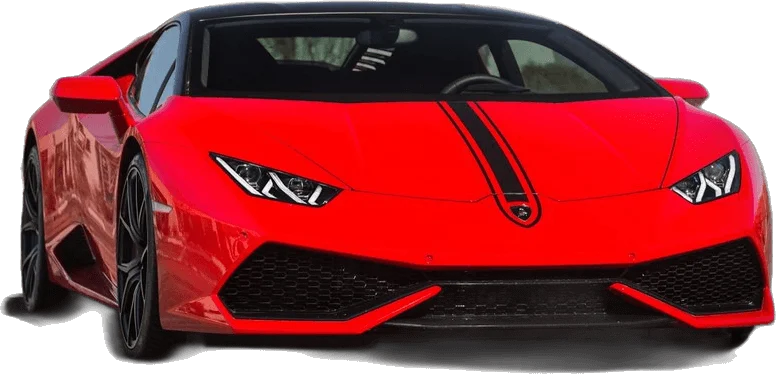
When an uno reverse car transition ai video comes out wrong, the cause is almost always one of three things: a weak photo, a prompt that never said which input controls what, or a reveal that is not tied to the card movement. On our generator the last two are already fixed in the template, so the photo is the part to get right. The window for error is small: the reference clip most creators use is 12 seconds long, which is 360 frames at 30 fps, and the entire transition happens in roughly the 15 frames where a hand sweeps across the lens.
Key Takeaways:
- Wrong card numbers and warped fingers come from cards that were never properly described. Our generator supplies card art and a fixed card rule.
- A face that drifts, or an outfit that turns into a black hoodie, means the photo was not made the only source for identity and clothing.
- A car that appears early or late means the reveal was not pinned to the card movement.
- Blocked renders on real faces are usually moderation, not a bug. Use a photo of yourself.
- Pick 9:16 before you generate. The original clip is 16:9, and a wide clip gets cropped in vertical feeds.
Why this AI video breaks more often than other trends
Most viral AI templates ask a model to do one hard thing. This one stacks four inside 12 seconds: swap a person while keeping their own clothes, render small printed cards twice, make a full-size car exist behind the subject without showing it arrive, and hold a face steady through a moment when the lens is almost fully covered.
We know the stack is fragile because of how the tutorials themselves are built. When we searched YouTube four days into the trend, we found more than 20 near-identical walkthroughs, ranging from 25 seconds to nearly 5 minutes, and almost all of them hand viewers the same downloadable prompt and the same reference clip. The tutorial with the most traction, about 20,000 views in three days, links a folder with three files: a prompt, a 12 second reference video and an audio clip. Creators copy the kit because small deviations break the result.
That is the reason we built the generator as a fixed template. The fragile parts are prepared once and not exposed, and what is left for you is a photo and two choices.
What this proved: failures cluster around four predictable weak points. What it left unsolved: telling them apart quickly.
Symptom, cause and fix at a glance
Use this table first. Each row is expanded in the sections below.
| Symptom | Likely cause | What to do |
|---|---|---|
| Cards show wrong or scrambled numbers | Cards mentioned in passing, no visual reference | Use the generator, which supplies card art; pick HD 720p |
| Six fingers, fused or melting hand | Hand covers face and lens at once, too few pixels | Pick HD 720p and generate again |
| Face changes after the card sweep | Photo is low detail, cropped tight or filtered | Use a sharper front-facing photo |
| You are wearing a black hoodie you do not own | A copied prompt let the reference performer's wardrobe through | Use the generator; show your outfit in the photo |
| Car visible before the cards come up | No "empty lot" state before the reveal | Fixed in our template |
| Car fades or slides in late | Reveal described as an arrival | Fixed in our template |
| Wrong car | Vague description | Pick a car template, or add your own car photo |
| Render blocked or refused | Real-person moderation on the photo | Use a photo of yourself or a consenting adult |
| Black bars or cropped car on Reels | Clip made in 16:9 | Choose 9:16 before generating |
What this proved: every common failure maps to one missing rule or one weak input. What it left unsolved: the details of each fix, which follow.
Fixing wrong card numbers and warped fingers
The cards are the signature of the trend and the first thing viewers check. They are also small, rigid, printed objects held in front of a moving hand, which is close to a worst case for a video model.
Three things decide whether they survive:
- A literal card rule. Two cards, a 2 and a 4, flat, readable, facing the camera. A prompt that only says "holding cards" leaves the digits to chance.
- A second mention. In the reference clip the cards come up at about 3 seconds and again at about 11 seconds. A prompt that only covers the first appearance often drops or corrupts the second.
- Pixels. At 480p a finger is only a few pixels wide and there is not much for a model to get right.
On our generator the first two are fixed in the template, and a picture of the two cards is sent along as a visual reference. The third is your choice: pick HD 720p when the hands matter.
A wording note: UNO is a Mattel trademark and this site is not affiliated with Mattel. Our card art is an original generic design.
Here is a hypothetical walk-through. Say a clip you made elsewhere shows the cards as a 2 and a blurry symbol, with a sixth finger curling around the edge. You have a card problem and a resolution problem at once. On the generator you would choose HD 720p and run it again. Expect a clear improvement, not a guarantee: hands are the current limit of AI video, and one retry is normal.
What this proved: card accuracy comes from a fixed rule, a visual reference and pixels. What it left unsolved: hands will still fail occasionally.
Fixing face drift and the swapped hoodie
These two share a root cause: the model was never told firmly enough that your photo outranks the reference performer.
The published creator prompt that most tutorials reuse puts this rule first, labels it top priority, and spends more words on clothing than on the car. After watching the reference clip, we understand why: the performer wears a plain black hoodie for all 12 seconds, so the pull toward that hoodie is constant. Copy the prompt and trim that block, and the hoodie comes back.
Our template keeps the rule at the top and repeats it at the end. What it cannot do is invent detail that the photo does not contain, so start with the photo. Front-facing, eyes visible, even light, hair and upper body in frame, no sunglasses, no heavy filter. If the outfit matters to you, it has to be visible.
Consider a failure case, again hypothetical. Say you upload a cropped group photo where you are the person on the left, in a blue jacket. The model has two faces to choose from in a tight crop and nothing to say which is you. A likely outcome is a blend of both faces that shifts after the card sweep. No template rescues that. Crop to one person or pick another photo.
What this proved: identity problems are solved upstream, in the photo. What it left unsolved: very small accessories such as earrings may still come and go.
Fixing a car that appears too early or too late
In the reference clip the car is absent, the hand crosses the lens at about 4.5 seconds, and by 5 seconds the car is parked behind the subject. It never drives, fades or slides. The whole effect is a cut hidden behind an occlusion.
Models miss this in two directions.
Too early: the car is sitting there from frame one. The instructions described the car but never described the empty lot.
Too late or sliding in: the instructions used arrival language, or gave only a timestamp with no trigger.
The working version needs a before state, an after state and a trigger motion. All three are fixed in our template, which is why the generator does not ask you about timing at all. If you see an early car in a clip made here, generate again: failed renders are refunded in credits, as described on the pricing page.
What this proved: reveal timing needs a before, an after and a trigger. What it left unsolved: which car shows up, which is its own problem.
Fixing the wrong car
Text alone gives a model wide latitude. "A red sports car" can come back as almost anything with four wheels and red paint. The reference clip itself shows a grey muscle car with orange stripes, while the widely shared prompt asks for a dark red sports car. Left unresolved, that conflict can produce a hybrid.
Two routes avoid it:
- Pick a template. Each of our six car templates pairs a specific vehicle description with a scene that suits it, starting with the red supercar.
- Add your own car photo. With a photo attached, the reveal matches that vehicle instead of a description.
Generic designs are deliberate. Brand names push a model to draw logos and lettering, which it often garbles.
What this proved: a fixed description or a car photo beats a vague line. What it left unsolved: exact trim details are still approximate.
Fixing blocked renders and real-face moderation
Sometimes nothing renders at all. The request is refused, or it fails after a short wait. With this trend the usual reason is that the photo contains a recognizable real person and a safety layer stepped in.
Platform rules sit on top of that. YouTube, for example, requires creators to disclose realistic content that makes a real person appear to do something they did not do.
Practical steps: upload a photo of yourself, or of an adult who has agreed to it. Do not use celebrities, public figures or minors. If a render is blocked, try a different photo of the same person with a neutral expression and a plain background. And do not look for ways around a moderation block.
What this proved: refusals are usually policy, not a fault in your photo. What it left unsolved: the line between allowed and blocked is not always visible in advance.
Fixing aspect ratio and framing
The reference clip is a landscape frame. Reels and TikTok want 9:16. A wide clip gets letterboxed or cropped by the app, sometimes cutting the car in half.
On the generator this is one tap: choose 9:16 vertical before you generate, and the framing instruction that keeps the car fully in view is applied with it. Guides from other tool makers land in the same place. LightX's walkthrough, for instance, recommends a vertical 9:16 ratio for this trend.
One last check before you post: the download is silent on purpose. Add the trending "Unforgettable" sound inside TikTok or Instagram, and nudge the clip so the card drop lands on the beat. The filter explainer covers what the in-app tools can and cannot do here.
What this proved: ratio is a choice you make before generating, not a repair afterwards. What it left unsolved: beat sync is still a manual trim in the app.
Frequently Asked Questions
Why do the cards show the wrong numbers?
The cards were mentioned without being described, so the digits were left to chance. Our generator sends card art and a fixed rule for a 2 and a 4. Pick HD 720p so the numbers have enough pixels to stay readable.
Why am I wearing a black hoodie in my video?
The performer in the common reference clip wears one, and a copied prompt let it through. Our template makes your photo the only source for clothing. Show the outfit you want clearly in the photo you upload.
Why does the car show up before the cards drop?
The instructions described the car but not the empty lot before it. Our template fixes the empty lot, the reveal and the trigger, so the car appears as the cards move away from the lens.
Why was my render blocked?
Most blocks come from real-person moderation on the photo. Use a photo of yourself or a consenting adult, avoid celebrities, public figures and minors, and try a clearer photo with a plain background.
How do I get a vertical video for Reels and TikTok?
Choose 9:16 vertical in the generator before you generate. The original clip is 16:9, which vertical feeds crop or letterbox.
Sources
- Trending Ai Video Editing prompt | Unforgettable song | UNO Reverse Car Transition Ai Video Editing (Jayanta Bhai, YouTube)
- Disclosing use of altered or synthetic content (YouTube Help)
- How to Make an Unforgettable AI Video (LightX)