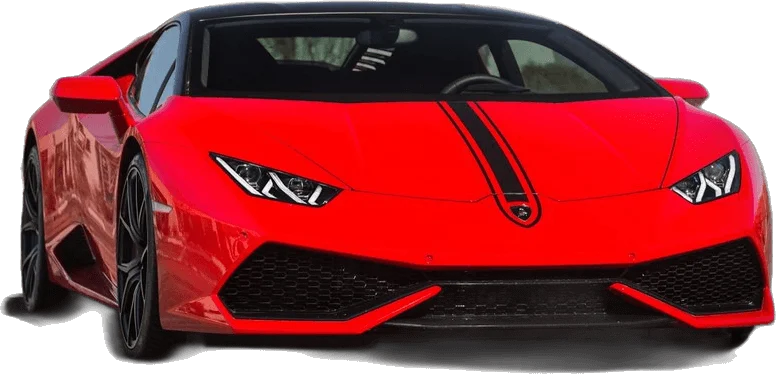
To make the UNO reverse car transition AI video, upload one clear photo to UNO Reverse Car AI, pick a car and a format, and generate. The tool keeps your face and outfit, copies the card-flash movement, and reveals the car as the cards drop. There is no prompt to write and nothing to edit. Start with your photo.
Four steps from one photo
1. Pick a clear photo
Front-facing, good light, one person. Whatever you are wearing in the photo is what you wear in the video, so choose the outfit on purpose.
2. Choose the car and the format
Pick one of six car templates or add a photo of your own car. Choose 9:16 for TikTok, Reels and Shorts, or 16:9 to match the original clip.
3. Generate and download
The clip is 12 seconds long and silent. Download the MP4 when the render finishes.
4. Add the sound and post
Open the app you post to, add the trending "Unforgettable" sound from its library, and publish.
Why not copy a prompt and do it by hand?
The tutorials make it look like a block of text is all you need. In practice the do-it-yourself route also takes a 12-second reference clip of someone performing the card flash, a paid account on an AI video service, the right upload order and settings, and several attempts that each spend credits.
| UNO Reverse Car AI | By hand | |
|---|---|---|
| What you supply | One photo | Photo, reference clip, prompt, settings |
| Prompt writing | None | Around 300 words, tuned by trial |
| Typical failures | Handled in the template | Borrowed outfit, early car, wrong card numbers |
| Failed renders | Refunded in credits | Paid for |
| Time to a postable clip | One render | An evening of retries is common |
If you are curious what the built-in prompt is doing, the prompt page explains each part. You do not need to read it to use the generator.
Photo tips that change the result
- Show more than your face. The model needs hair, neck, shoulders and clothing to keep you consistent when you turn to look at the car.
- Match the light to the scene. Warm photo for sunset templates, neutral photo for night templates.
- Contrast with the car. Dark outfit with a light car, light outfit with a dark car.
- Skip the sunglasses and hats unless you want them in every frame.
Posting it
Add the sound in-app instead of baking music into the file. The platform holds the licence for sounds in its library, and using the library sound connects your post to the trend page. Label the post as AI-generated where the platform asks for it, and keep the caption short: the clip explains itself. If you are wondering whether a one-tap effect exists inside the apps, see is there a UNO reverse car transition AI filter?